Eos: Warm-Shift Fader

This is something I've been meaning to write up for a while after someone asked me how I did it.
Note that this is not an 'ideal' method and it involves a lot of trial and error. Like many things in Eos, there are many ways to achieve similar results. You could perhaps do this (better?) with different curves on each of the colour channels for example.
The problem: House lights are increasingly replaced with LEDs fixtures that lack the warmth and, dare I say, personality of traditional incandescent lights (I've ranted about this before) - the aim is to allow manual control of house lights (with a fader) but still emulate this dim through a deep warm amber as the light fades out on cheap fixtures that don't support this sort of feature.
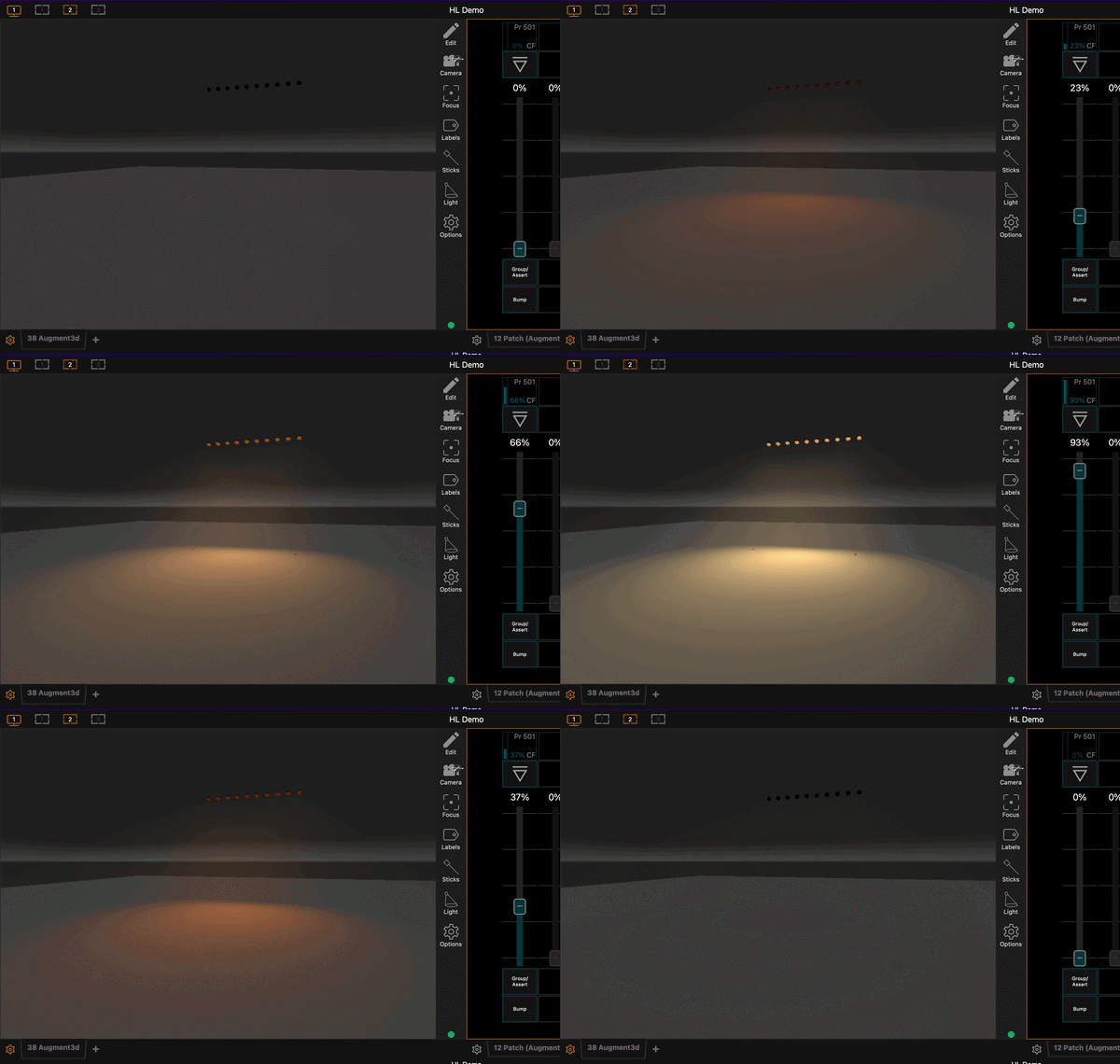
Interestingly, the ONYX range of consoles have a feature called Q-Blender which makes this very simple (and a feature request for something similar already exists within ETC's backlog!)
If you ask Google these days you get an AI response which states after mapping palettes to a fader (which it gets right) "Set the fader properties so the movement of the slider controls the crossfade through the listed targets, moving the fader up and down scales the values and crossfades up and down through the assigned palettes sequentially" ... (which it doesn't)
There is always a way...
I've increasingly found there's always a way to do almost anything, even if it's not the most obvious, intuitive, or sensible.
In this case, we're going to use (or abuse) the Pixel Mapping feature.
Create a simple pixel map with all the House Lights (or whatever fixture you're applying this to) on one row...
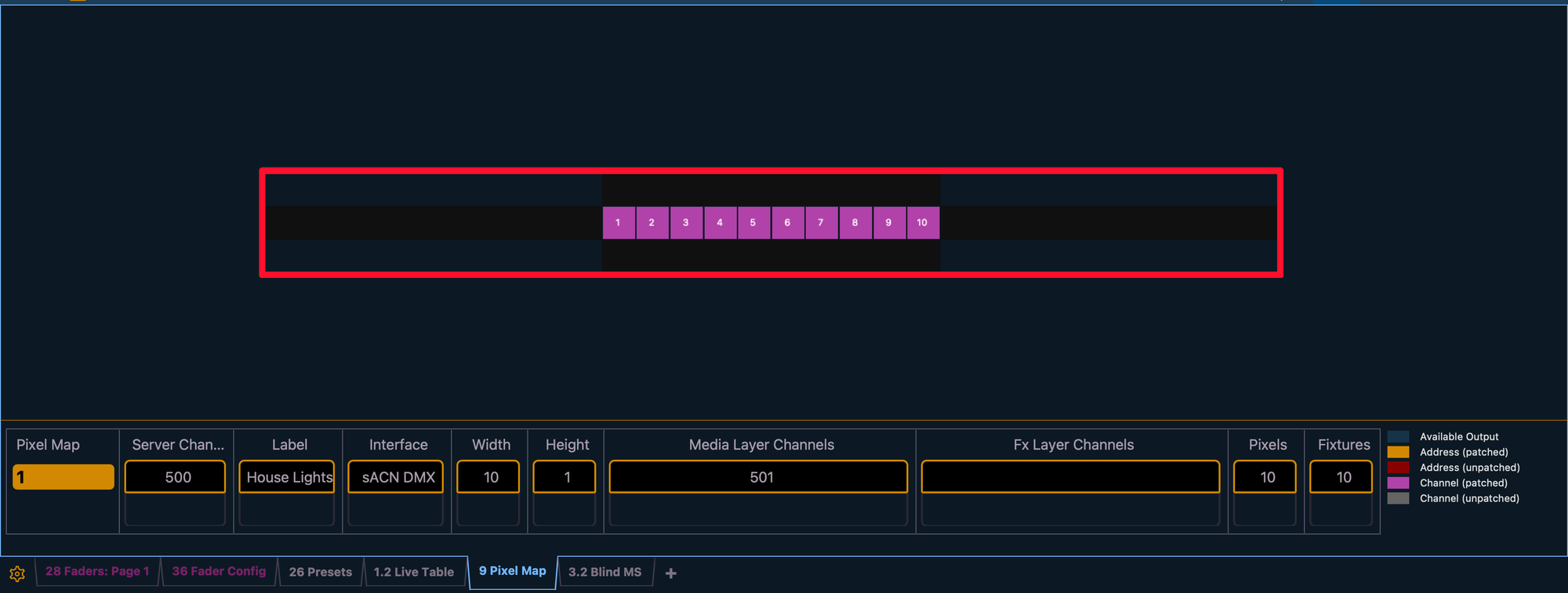
And assign a Virtual Media Server and Virtual Media Layer to control it.
Then you want a simple gradient image. This is where it gets tricky, different fixtures will reproduce different colours from an image very differently and you'll want some trial and error to get a 'nice' image (but don't forget you can always adjust the colour a bit within the Media Layer itself) and import this into Eos
My initial image was this, but we created a different one for the fixtures we were using that ended up looking ridiculous on screen but worked for the lights!
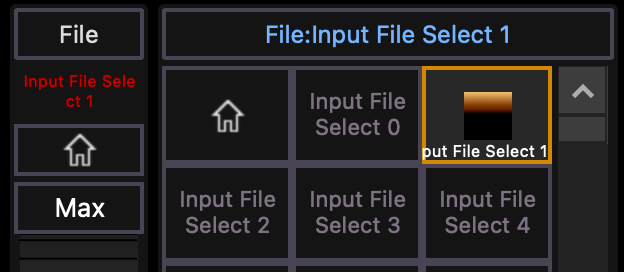
You'll probably want to add the file selection, and intensity of 100% on this layer to your home preset and also ensure that the main pixel mapping server fixture has Intensity 100 and Crossfade -100 to ensure it takes control of the fixtures.
Then, adjust the Tilt (counterintuitive I know) value until your fixtures show you brightest white colour (go too far and they turn off again), and record it to a preset
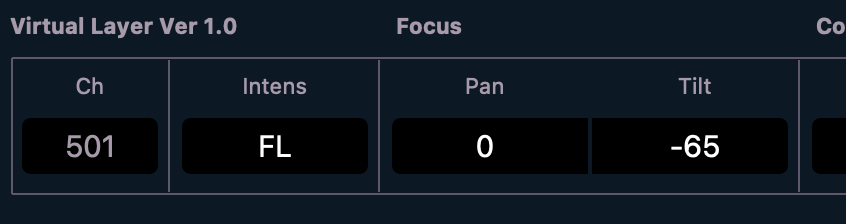
Assign this preset to a Fader of your choice, and set the Param Filter on the fader to Tilt
You now have a fader that adjust the horizontal 'position' of your image file with respect the pixel map, allowing you to move the image from the centre (black / off) position to the outer limit (brightest edge) of your gradient through whatever colours you've put in the middle.
With a bit of time setting up a gradient image and testing with your own fixtures (and adjusting as necessary within the effects layer colours) this can be used to create a pretty convincing slow shift through warm and deep ambers as it fades off.
Of course, better would be to be able to do what Google AI suggested and Q-Blender-type functionality allows, to assign four or more colour palettes to a fader and have the movement of the fader progress through them using Eos' advanced colour theory and Colour Path tools or custom curves rather than a very primitive RGB conversion from an image, but it does work!