GLSL, Shadertoy, Ai, and Zoe... oh my.

I have long been a fan of Shadertoy website, and the vast collection of computational animations made by people far smarter than I therein.
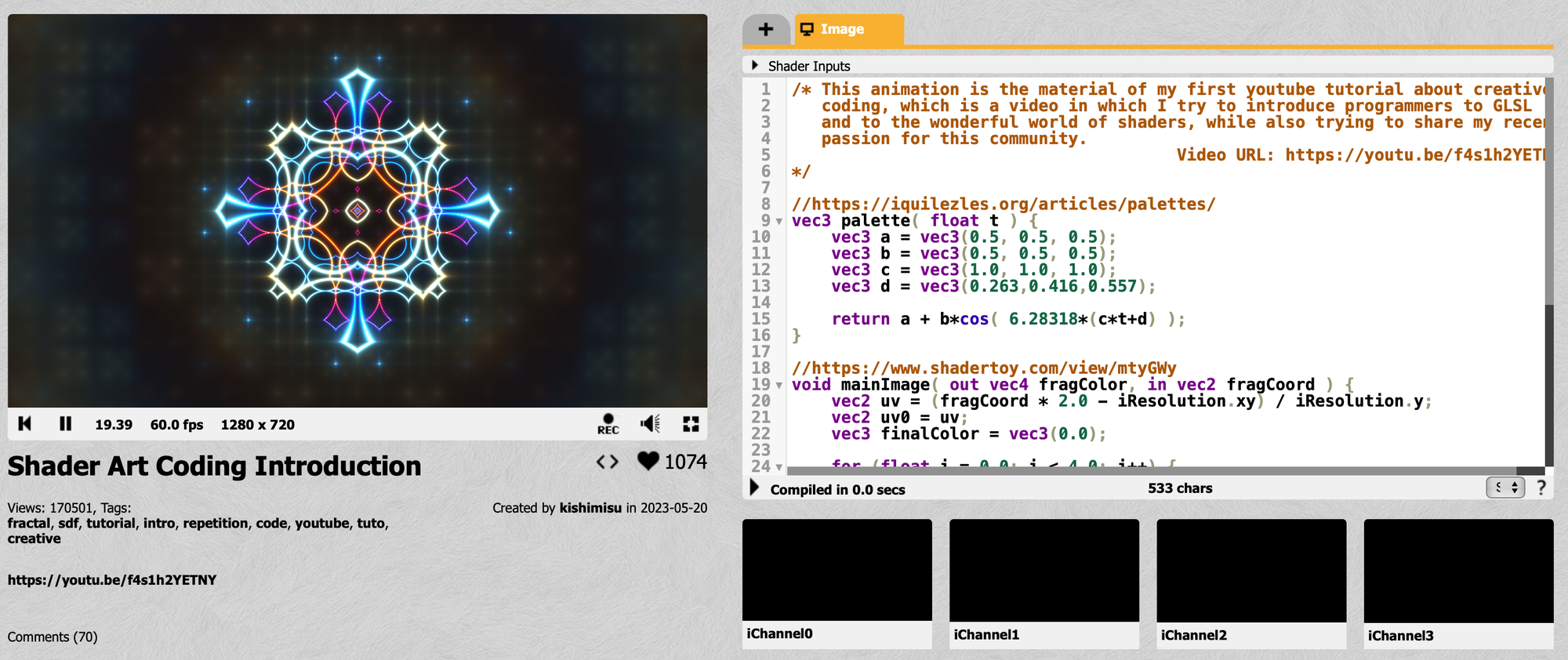
But since this is all based on an open technology, GLSL shaders, it got me thinking wouldn't it be great to be able to use generative images like this on a stage, and indeed you can export videos from ShaderToy but since it's computed anyway and some of them have a degree of randomness, why generate a lengthy video when you could just, well, render it.
And, if only I had a media server that I controlled the source of...
You can see where this is going
Zoe Shader Support
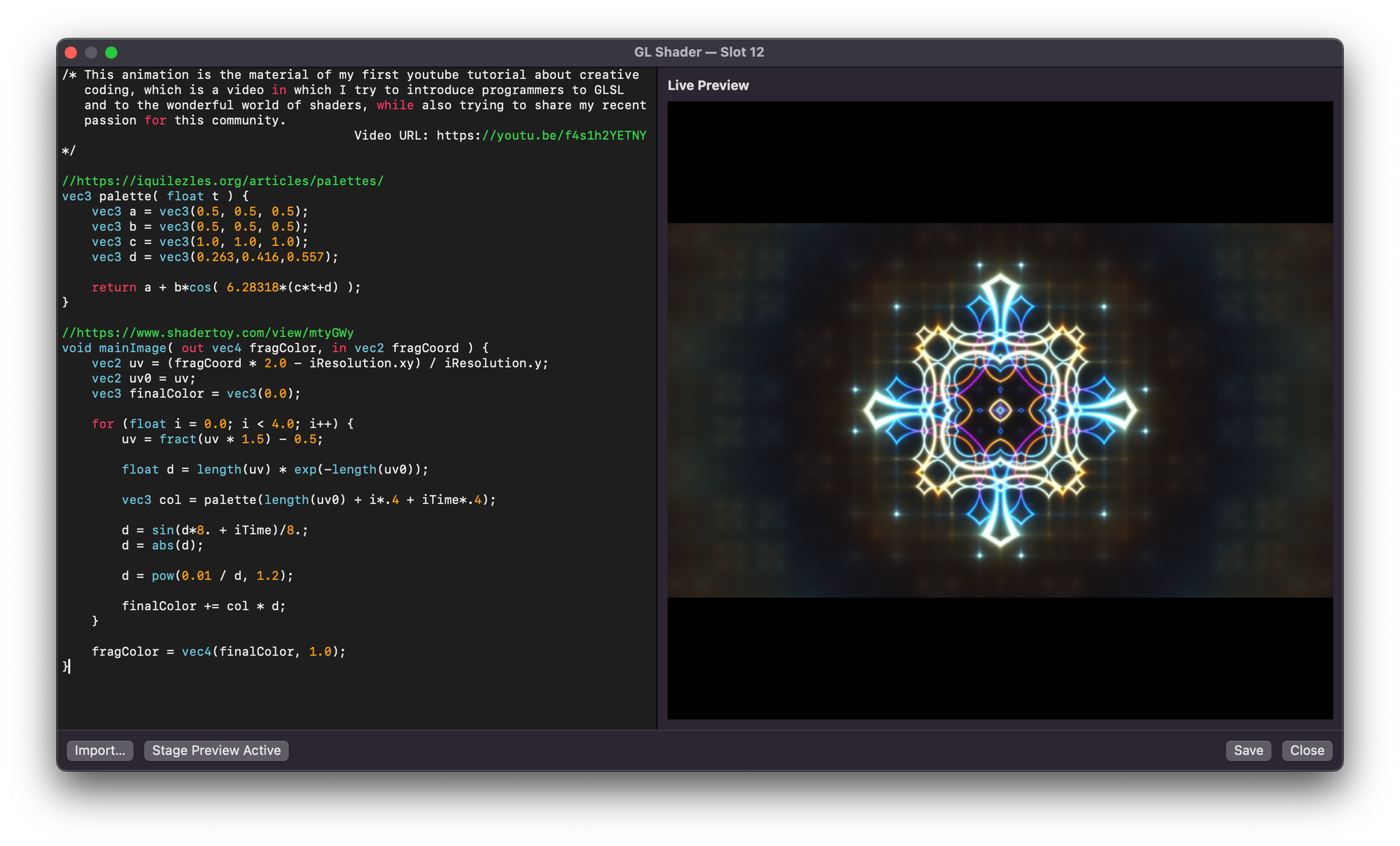
Zoe now supports very limited GLSL shaders. Notably, it's modelled on ShaderToy as it has such a great library and tutorials. You can use ShaderToy features like iTime and iResolution but not any external inputs like the mouse position or the iChannelN inputs.
Simple examples like the one above, however, work perfectly and most examples on ShaderToy that don't use interactive elements or external images will work as expected.
One more thing... AI.
So what we have here is relatively simple code, and relatively complex maths. What is good at both complex maths and simple code? Computers.
So we can use a simple prompt with ChatGPT, Claude etc (or any other AI) to generate some really nice effects for example;
Write a simple shadertoy compatible fragment shader using GLSL with no custom external variable inputs or interactivity. Any configuration should be well commented variables at the top the code itself.
The shader should; Render multiple psychedelic coloured flower patterns and spirals and distortion.
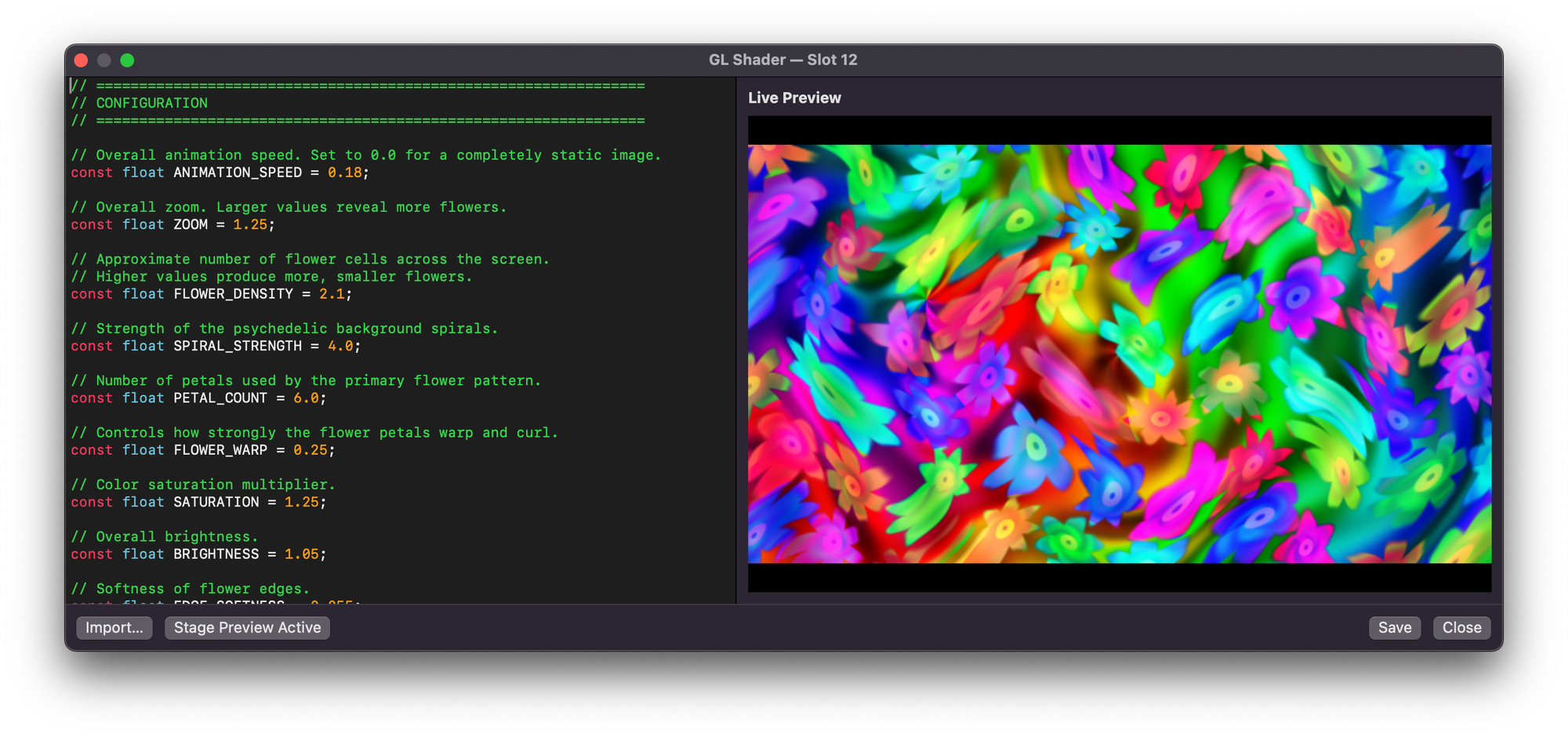
Resulted in this colourful example;
Or maybe some truly randomised infinite rain with no repeats;
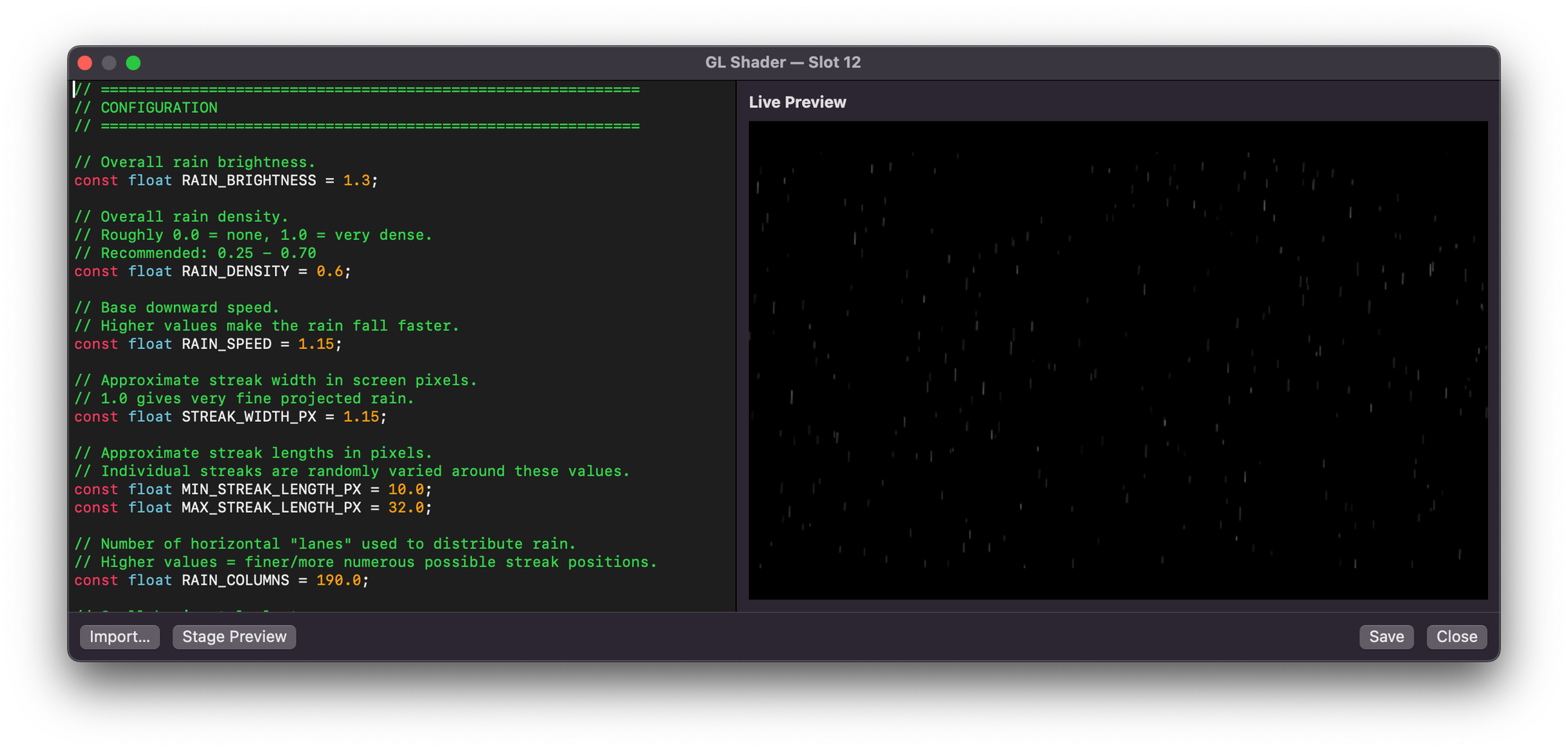
In each case the key elements of the prompt (and I'm no expert at refining them) are;
Write a simple shadertoy-compatible fragment shader using GLSL
Most AIs are able to 'understand' this, specifically Shadertoy and its design.
With no custom external variable inputs or interactivity. Any configuration should be well commented variables at the top the code itself
By default Shadertoy allows you to have interactive elements to change variables and up to four external references to images or maps etc (iChannel0,1,2,3) - this behaviour is NOT available in Zoe, so we need to exclude these. The configuration is entirely in the text itself, and Zoe allows you to preview these in realtime as you change them both in the edit window and on any connected 'stage' display.
Ethics of AI and Live Performance
We can't ignore the elephant in the room. I have long believed that AI should not be being used in live performances when a real scenic artist could be employed, or even the skills of a local talented volunteer embraced.
I also accept, however, that some groups – particularly amateur theatre where no-one is being paid anyway – will use AI for backdrops and set designs. This is frustrating but the reality is they were never going to hire a scenic artist anyway.
However this sort of application, to me, is a bit different. This, by definition, isn't something a human can make. It's generative. The skills needed aren't that of painters and artists, but coders and mathematicians and, ultimately, AI excels here.
The creativity in this lies in what you prompt for and then refinements and tweaks, not the skill behind a pen or a brush. The AI is just doing the maths to generate code based on what you've asked for. In some ways is this that different to Illustrator generating the underlying SVG based on your input with the tools, or what you can make with some pixel mapping software and changing parameters?
Ultimately, this technology is here to stay and, personally, I find it ok to use it for some random patterns as an abstract backdrop in a way that I wouldn't accept 'drawn' or photo-realistic backgrounds for a show.